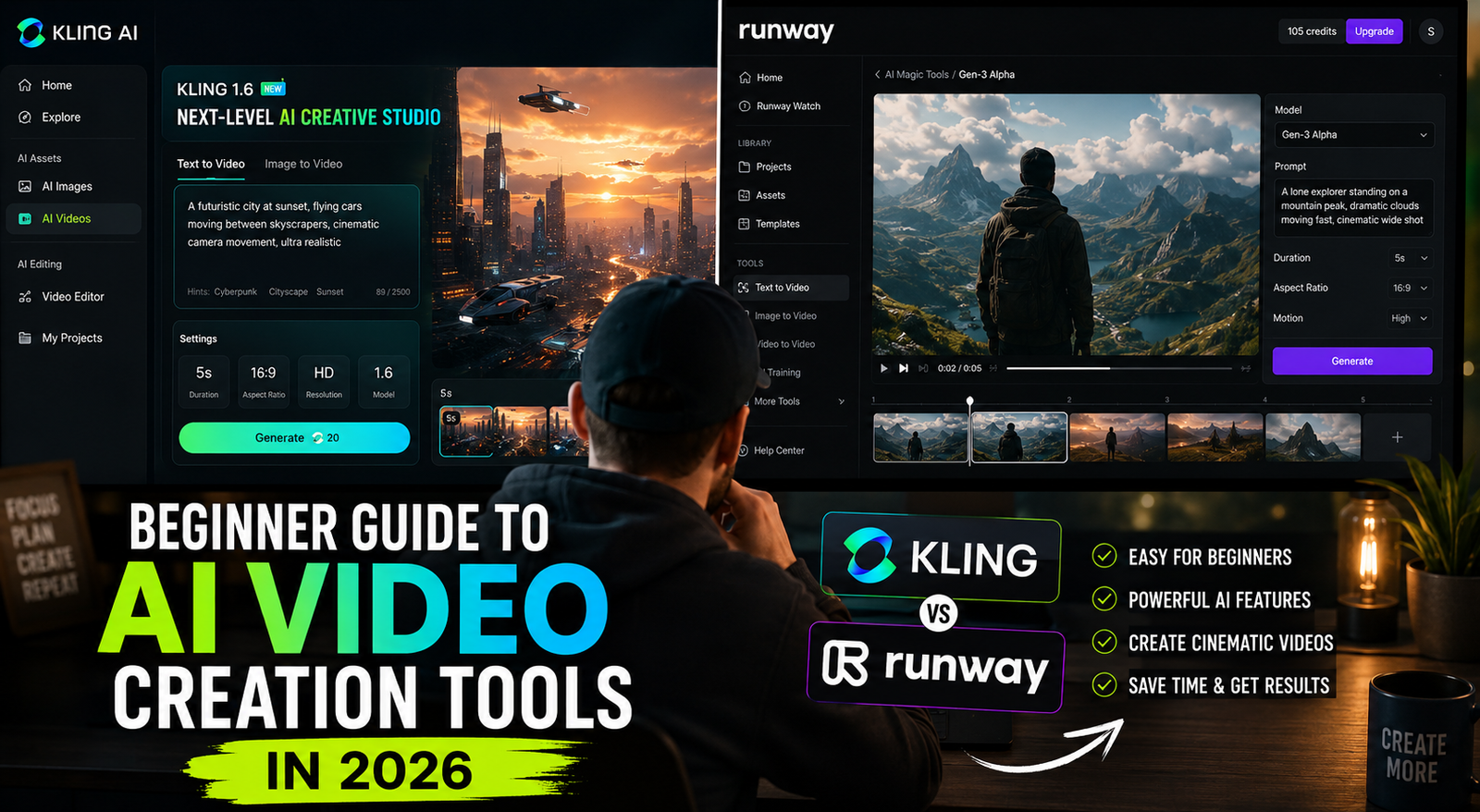
Sora is gone. Veo 3, Kling 2.0, and Runway now lead. The quality floor for AI video has risen dramatically in 2026 — a motivated beginner can produce something genuinely watchable in an afternoon. But only if you understand what each tool is actually for. Here’s the guide nobody wrote for the specific tools that matter right now.
The AI video landscape shifted faster in the first quarter of 2026 than in the previous two years combined.
OpenAI announced in March 2026 that the Sora web and app experiences would be discontinued on April 26. The API follows in September. The tool that put AI video on the cultural map — the one that had every creative professional anxious about the future of video production — is being wound down while competitors that have overtaken it on quality metrics continue to accelerate.
Meanwhile, Veo 3.1 launched with native audio generation alongside video. Kling 2.0 extended to 30-second clips with dramatically improved physics and motion realism. Runway’s Act-One character animation went mainstream. And the category of “avatar video” tools — HeyGen, Synthesia — graduated from novelty to standard business communication infrastructure.
If you’ve been meaning to learn AI video but have been waiting for the tools to stabilise: they’re not fully stable, but they’re good enough to invest time in. The tools I describe in this guide are the ones that matter right now, not the ones that were relevant six months ago.
The Honest State of AI Video in 2026: What It Can and Can’t Do
Before the tutorials, a calibration check. AI video in 2026 is impressive in some specific areas and genuinely limited in others. Knowing the boundary saves you from building expectations the tools can’t meet.
What AI video does genuinely well:
Short-form content (5-30 seconds) at high visual quality. Product demonstrations, social media content, ambient video for presentations, b-roll footage for longer productions, mood pieces and brand videos — these are consistently achievable with current tools at quality that would have been extremely expensive to produce traditionally.
Consistent visual style across multiple clips. Once you establish a visual approach — a lighting style, a colour palette, a motion aesthetic — AI video tools can reproduce it consistently across many clips. This is hard to do with traditional production and relatively easy with AI.
Transforming still images into video. Image-to-video is where the current generation of tools is strongest. A high-quality still image becomes a clip with natural, physically plausible motion. The starting image quality largely determines the output quality.
What AI video still struggles with:
Consistent characters across scenes. Getting the same face, the same body proportions, the same physical characteristics to appear consistently in different shots remains difficult. If you need a specific person to appear in multiple clips in different settings, you’ll need significant post-production work or specialised avatar tools.
Complex physical interactions. Hands interacting with objects, multiple people in the same scene, crowds, sports actions — these still produce the uncanny valley effect where something feels visually plausible but physically wrong.
Long-form coherent narrative. AI video tools produce clips, not movies. Longer coherent narratives require careful clip-by-clip production with human editing to maintain story logic. The tools are getting better at this, but 2026 is still the era of clips, not features.
Specific real environments. Generating video that looks like it was shot in a specific real location — a particular conference room, a specific street corner — is unreliable. The tools excel at stylised or generic environments.
The Tool Map: Which One Does What
There is no single best AI video tool in 2026. There is a best tool for each specific use case. Here’s the honest map.
Google Veo 3.1: Currently the strongest general-purpose text-to-video tool for quality. Produces native audio alongside video — dialogue, ambient sound, music — not just silent video you add audio to later. Best for: content creators who need high-quality clips from text descriptions, anyone who values audio-video integration, general-purpose short-form video. Access: through Google AI Ultra ($249.99/month) or via VideoFX on Google Labs.
Kling 2.0 (Kuaishou): Leads specifically on realistic motion and physics. Characters move with the most human-like quality currently available. Extended to 30-second clips, which is long enough to be genuinely useful for marketing content. Best for: any content requiring realistic human or animal movement, brand videos where visual realism matters, social media content. Access: kling.ai — has a free tier with limited credits, professional tiers from $10/month.
Runway Gen-3 Alpha: The professional production standard. Used by advertising agencies, post-production studios, and content agencies for client deliverables. Act-One enables character animation from reference images with impressive consistency. Camera control — pan, tilt, zoom, crane shots — is the most precise of any current tool. Best for: professional ad production, client-facing deliverables, anyone who needs precise directorial control. Access: Runway.ml — Standard $15/month, Pro $35/month.
Luma Dream Machine: Best for 5-second cinematic clips. Fast, consistent quality, very good for scenic and atmospheric content. Best for: b-roll, establishing shots, mood clips, short social media videos. Free tier available.
HeyGen / Synthesia: The avatar category. You provide a script, the tool generates a video of a realistic digital avatar speaking your script — with your voice if you use their voice cloning. Best for: corporate training videos, product explainers, multilingual content (both tools offer excellent lip-sync translation into dozens of languages), internal communications. Not for entertainment content — the avatar quality is impressive but recognisably synthetic for entertainment audiences.
The practical beginner’s starting point: Kling 2.0 for its free credits and strong motion quality, plus HeyGen’s free tier if you want to experiment with avatar video. You can produce genuinely impressive content without spending anything while learning the tools.
The Video Prompt That Actually Works
The prompt is where most AI video beginners fail. And it’s entirely preventable — the technique is simple once you know it.
A text-to-video prompt needs four components. Miss any of them and you’ll get something technically correct that doesn’t look how you intended.
1. Subject and action: What is in the frame and what is it doing? “A woman in her 30s” is too vague. “A woman in her 30s looking at her phone with a slight smile, then looking up directly at camera” tells the model what to render and what motion to create.
2. Setting and environment: Where is this happening? “In an office” produces a generic office. “At a standing desk in a bright modern open-plan office, afternoon light through large windows, other desks visible but not in focus” produces a specific, usable environment.
3. Camera and style: What is the shot doing visually? “Close-up portrait, shallow depth of field, cinematic colour grading, 4K” specifies a distinct visual approach. “Slow push in on subject” describes camera movement. Without this, the model picks arbitrarily, often choosing something fine but not what you had in mind.
4. Technical specifications: Quality and format. “4K, 24fps, photorealistic” for realistic content. “Animated, vibrant colours, smooth motion” for stylised content. These signals help the model make quality decisions.
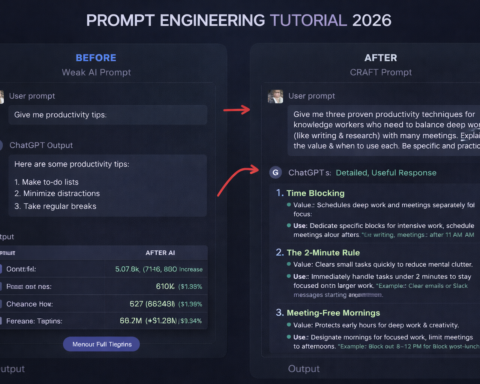
Full example prompt: “A barista in her 20s preparing a pour-over coffee behind a wooden counter. She’s focused and precise, pouring hot water in slow concentric circles over grounds in a ceramic dripper. Setting: small independent coffee shop, warm morning light through front windows, coffee equipment neatly arranged on the counter, soft background blur. Camera: slow push in from waist-height medium shot to close-up on hands pouring, smooth motion. Style: cinematic, warm colour grading, natural lighting, 4K photorealistic.”
Compare this to: “A barista making coffee.”
Both describe the same scene. Only one produces what you want.
Image-to-Video: The Easiest High-Quality Result
The fastest way to produce high-quality AI video as a beginner is image-to-video, not text-to-video.
Here’s the reason: AI image generation (Midjourney, DALL-E, Adobe Firefly, Ideogram) is further ahead in quality than AI video generation. When you start with a high-quality AI image and animate it, you’re giving the video model a strong visual foundation to work from. The result is typically much better than asking a video model to invent the scene from scratch.
The workflow:
Step 1: Generate a high-quality still image that represents the first frame of your video. In Midjourney, use the --ar 16:9 parameter for video-appropriate aspect ratio. Spend time getting the image right — the image quality is the ceiling for your video quality.
Step 2: Upload the image to Kling 2.0 or Runway and add a brief motion prompt. Not a description of the scene (the image already shows that) but a description of the motion: “slow zoom out,” “camera pans left revealing more of the environment,” “subject turns toward camera,” “leaves in background rustle gently,” “steam rises from cup.”
Step 3: Generate and review. The model animates the image according to your motion prompt. Select the best of the generated options. Adjust the motion prompt if the movement isn’t right.
This approach is faster, more controllable, and produces more consistent results than text-to-video for most content. It’s how most professional AI video producers work in 2026.
Building a Complete Short Video: Step-by-Step Workflow
For a complete 30-60 second social media video, here’s the workflow from start to finish.
Step 1 — Script and structure (15 minutes): Write a brief script. Even for a wordless video, you need a structure: what emotional journey does the viewer go on? What do they see first, second, last? For a product video: problem → solution → result. For a brand video: aspiration → connection → call to action. Keep it simple. 30 seconds is 8-10 seconds per scene, which is 3-4 scenes.
Use ChatGPT or Claude to help. Prompt: “Write a 30-second script for a [type of video] targeting [specific audience]. Include scene descriptions, not narration. Each scene should be 8-10 seconds. Describe the visual, the motion, and the emotional tone of each scene.”
Step 2 — Image generation for each scene (30 minutes): For each scene, generate a starting image in Midjourney or your preferred image tool. Use a consistent style prompt across all scenes to maintain visual coherence: “cinematic, warm colour palette, shallow depth of field, photorealistic, 16:9” added to every prompt ensures the scenes look like they belong in the same video.
Step 3 — Video generation (30-45 minutes): Animate each image using Kling 2.0 or Runway. Generate 2-3 versions of each scene with slightly different motion prompts. Pick the best from each.
Step 4 — Audio (20 minutes): If using Veo 3.1, audio generation is built in — specify the soundtrack and ambient sound in your prompts. For other tools, use ElevenLabs for voiceover if your video has narration, Suno or Udio for background music (both have generous free tiers), and CapCut or DaVinci Resolve for editing the clips together with audio.
Step 5 — Assembly and export (30 minutes): Import all clips into CapCut (free, excellent for beginners) or DaVinci Resolve (free professional-grade). Cut them together, add transitions, add audio track, add captions if appropriate. Export at the resolution appropriate for your platform.
Total time: 2-2.5 hours for a complete, professional-quality 30-second video.
That timeline would have represented a full production day with traditional video tools as recently as 2024. The tools have genuinely changed what’s achievable in an afternoon.
The Content Creator Use Case: What’s Actually Worth Building Skills In
If you’re learning AI video with the goal of building a content creation skill or career, the most valuable areas to develop in 2026 are:
Short-form product and brand video: Companies producing marketing content at scale are actively looking for AI video production skills. This is where Runway and Kling dominate, and where the skills transfer directly to commercial work.
Avatar-based corporate content: Enterprise companies producing training videos, explainers, and multilingual content using HeyGen and Synthesia at scale. This is a growing commercial category with steady demand and tools that are learnable in a day.
Social media content creation: Kling 2.0’s free tier and fast output cycle make it the tool of choice for content creators learning at scale. The volume of content you can produce per hour matters for social media, and Kling’s speed is a genuine advantage.
What I’d avoid investing heavily in learning: tools that are clearly in decline (Sora, now discontinued), tools with unclear sustainability, and highly specialised tools before you’ve mastered the general-purpose ones.
The meta-skill that transfers across all tools: writing precise, detailed video prompts. The tool landscape will keep changing. The skill of translating a creative vision into a specific, detailed prompt that gets consistent results from any AI video tool — that’s the skill that compounds.