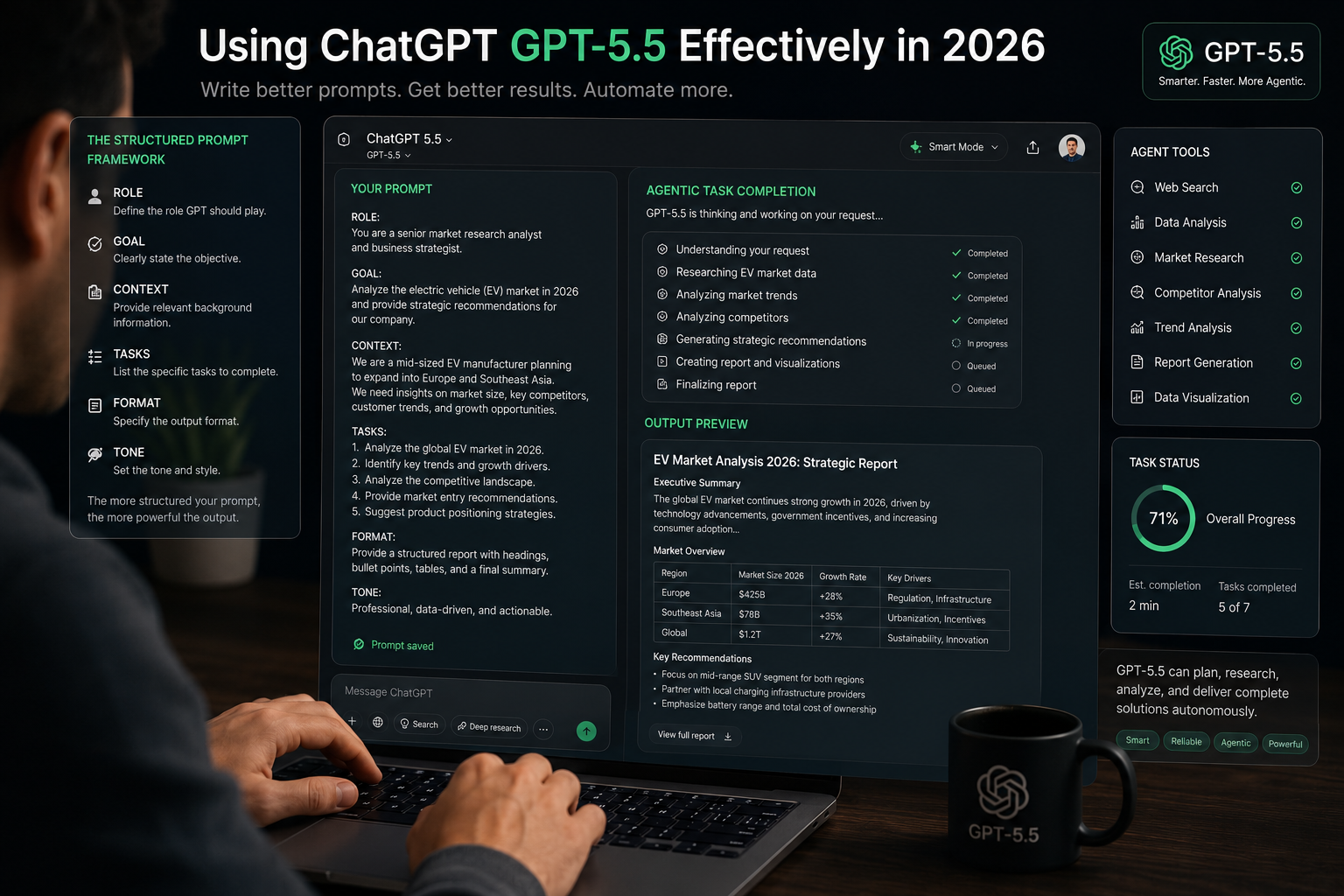
Someone handed GPT-5.5 a 6-hour autonomous coding task and walked away. The model finished it without a single follow-up. That’s not the ChatGPT most people are used to. If you’re still prompting it like GPT-4, you’re leaving most of the capability on the table. Here’s how to actually use it.
A product manager at a company called ChatPRD wrote up something remarkable last week. She handed GPT-5.5 Pro a months-old technical debt problem — a complicated database migration with messy edge cases — and told it to fix the problem, build a testing system, and get it production-ready.
Then she walked away.
Five hours and fifty-seven minutes later, without a single follow-up prompt or correction from her, GPT-5.5 had created a sub-agent, built a smoke testing system, run production-like data through it, identified issues, and repaired them. She returned to a ready-to-ship piece of work.
That story is real, and it illustrates something important: GPT-5.5 is not GPT-4 with a better vocabulary. It’s a different category of tool that rewards a different kind of use. And if you’re still typing prompts the way you did in 2024, you are almost certainly not getting what this model can actually deliver.
This guide fixes that.
First: What Actually Changed in GPT-5.5
OpenAI released GPT-5.5 on April 23, 2026, describing it as “a fully retrained model, not a minor patch.” That language matters. When a model is retrained rather than patched, its underlying behaviour changes — not just its knowledge or its speed, but how it interprets instructions, how it handles ambiguity, and what it does when left to its own judgment.
Three changes affect how you should use it day-to-day.
The reasoning is baked in. With GPT-4 and early GPT-5 models, getting the model to reason carefully often required explicit prompts: “think step by step,” “reason carefully before answering,” “show your work.” GPT-5.5 does this by default. Adding those prompts doesn’t improve results anymore — it sometimes degrades them by adding noise to an instruction the model was going to follow anyway. If you’ve been adding chain-of-thought prompting to get better reasoning, you can stop.
It follows instructions more literally. GPT-5.5 interprets instructions precisely and doesn’t infer requests you didn’t make. This is good when you know exactly what you want. It’s frustrating when your prompt is slightly ambiguous, because the model will execute the ambiguity exactly as stated rather than using judgment to fill gaps the way earlier models sometimes did. The practical implication: you need to be more precise about scope and output format, not less.
It can execute, not just generate. The most important change. GPT-5.5 is built for agentic tasks — multi-step workflows where the model plans, uses tools, checks its work, handles unexpected complications, and keeps going without constant human direction. The 82.7% accuracy on Terminal-Bench 2.0, which tests complex command-line workflows requiring planning and tool coordination, reflects this. GPT-5.5 in Codex can handle tasks that would have required a junior developer’s full attention in 2024.
The Biggest Mistake People Are Making Right Now
There’s a specific mistake that experienced ChatGPT users are making with GPT-5.5, and it’s worth naming directly because it’s counterintuitive.
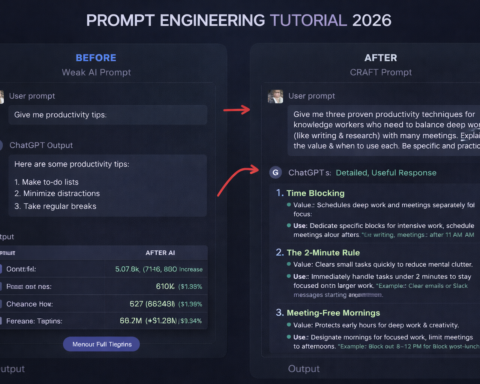
Elaborate, carefully engineered prompts often perform worse with GPT-5.5 than clean, direct instructions.
In the GPT-4 era, the meta-skill of “prompt engineering” was partly about tricking a less capable model into performing at a higher level than it naturally would. Role-play framings, chain-of-thought nudges, repetition of key constraints, elaborate context-setting — these techniques compensated for model limitations.
GPT-5.5 doesn’t need those compensations. The model is smart enough that the scaffolding gets in the way. When you add a long preamble about your company, your audience, your goals, and your context before the actual request, you dilute the instruction. GPT-5.5 tries to address all of that, and the result is a response that covers everything superficially rather than executing the specific task well.
The new rule is brutally simple: say what you want, clearly, with the constraints that actually matter. Stop trying to trick the model into performing well. It’s already trying. Your job is to give it clear direction, not elaborate scaffolding.
The Prompting Framework That Works in 2026
After GPT-5.5 behavioural changes, the prompt structure that consistently produces the best results has four components — and crucially, none of the ones that used to be standard.
1. State the task specifically. Not “help me with marketing” but “write three email subject line variants for a reactivation campaign targeting enterprise customers who haven’t logged in for 90 days.” Not “improve this code” but “refactor this authentication function to handle the JWT expiry edge case without touching the session management logic.” The specificity is the instruction. Vague tasks produce vague outputs.
2. Define the success criterion upfront. GPT-5.5 performs better when it knows what “done” looks like before it starts. Don’t just describe the task — tell it when to stop. “Fix the auth bugs, confirm all existing tests pass, and ensure no new failing tests are introduced” is better than “fix the auth bugs.” The success criterion prevents the model from continuing indefinitely when it’s actually finished, which is a real agentic behaviour you’ll encounter.
3. Name the output format explicitly. “A bulleted list,” “a table with three columns,” “a 400-word professional email,” “JSON with the schema I’ve specified,” “a Python function with type annotations and docstrings.” GPT-5.5 follows output specifications precisely. Use this. If you don’t name the format, the model picks one, and you spend time reformatting something that was correct but not in the shape you needed.
4. State the constraints that matter, nothing else. Don’t include constraints as a courtesy. Include them because violating them would make the output unusable. “Under 200 words,” “no markdown formatting,” “use only data from the documents I’ve provided,” “don’t suggest architectural changes.” Constraints that don’t constrain anything just clutter the instruction.
What to drop entirely: role-play framing unless you genuinely need a specific persona, repetition of the same instruction in different words, explicit chain-of-thought prompting, lengthy context about things the model doesn’t need to know, apologies and softening language.
Using GPT-5.5 in Codex: Where the Real Power Is
Most people first encounter GPT-5.5 through ChatGPT’s chat interface. They ask it a question, get a good answer, and move on. That’s fine — but it completely misses what the model was actually designed for.
GPT-5.5’s capabilities were built around Codex, OpenAI’s agentic coding application. The model handles tasks that span multiple files, require running tests, handle unexpected compilation errors, refactor across a codebase while maintaining consistency, and deliver a result that’s ready for review — not a starting point for more work.
More than 85% of OpenAI’s employees now use Codex weekly across departments including engineering, finance, communications, and marketing. Some examples from their own team: the communications team used GPT-5.5 in Codex to analyse six months of speaking request data, build a scoring and risk framework, and automate low-risk request handling. The finance team reviewed 24,771 K-1 tax forms totalling over 71,000 pages — with a workflow that excluded personal information — and completed the work two weeks faster than the previous year.
These are not developer-only use cases. They’re knowledge work tasks that GPT-5.5 handles through Codex’s structured agentic environment.
Setting up tasks in Codex correctly:
Enable Plan Mode for anything spanning multiple files or requiring multiple execution steps. In Plan Mode, GPT-5.5 writes out its intended approach before executing. You can review and correct the plan before any code is written or any action is taken. For simple, well-defined tasks this adds overhead. For complex multi-step work it’s valuable: you catch misunderstandings before they compound.
Give the model a success criterion, not just a task. “Fix the payment processing bug” is a task. “Fix the payment processing bug, confirm the existing test suite passes after your changes, and add a test for the edge case where the card expiry date is in the past” is a success criterion. The difference in output quality is significant.
Don’t micro-manage intermediate steps. One of the adjustments that trip up developers new to agentic coding is the instinct to check in constantly. GPT-5.5 in Codex works best with long rope. Set the task and the success criterion, then let it run. Review the result, not the process.
The Tasks Where GPT-5.5 Is Actually Transformative
Not every task benefits from GPT-5.5’s specific capabilities. Knowing where the model genuinely changes what’s possible — versus where it’s just a slightly better version of what you had — helps you allocate its use appropriately.
Where it’s transformative:
Complex, multi-step technical work. Multi-file code refactors, architecture changes with wide impact, debugging problems that span systems — these are the tasks where GPT-5.5’s ability to hold context across a large codebase and work through complications without hand-holding changes the experience from “I’m guiding the model” to “I’m reviewing its work.”
Long research synthesis. With a 1 million token context window, GPT-5.5 can hold an entire book, a large document library, or a comprehensive codebase in working memory simultaneously. The quality of synthesis from this context depth is qualitatively different from what’s possible with smaller context windows.
Tasks that previously required constant iteration. If you’ve spent time doing ten rounds of back-and-forth to get a piece of work to the quality you needed, that’s a signal GPT-5.5 may be able to do it in one or two passes. The model’s ability to reason through complexity and self-verify its outputs is what produces this result.
Where it’s good but not transformative:
Standard writing, summarising, answering questions, brainstorming. GPT-5.5 does all of these well. But so did GPT-5.4. If your workflow is primarily conversation and content generation, the upgrade is real but incremental.
Tasks that require current information. GPT-5.5 has web browsing capability, but for research requiring current, cited information, Perplexity is still the better starting point.
The “intelligence overhang” problem to avoid:
The same person who tested GPT-5.5’s coding capability also tested it on a simple app for teaching subtraction to a second grader. The model spent 17 minutes planning a complex, modular application for what was a simple request. The lesson: don’t apply GPT-5.5 Pro’s full reasoning capacity to tasks that don’t require it. Use standard mode for everyday tasks. Save the Thinking and Pro modes for the problems that genuinely need deep reasoning.
Practical Templates You Can Use Right Now
Copy these and adapt to your situation. They work because they’re specific, define success, and name the format.
Research synthesis: “Review the documents I’ve attached. Identify the three most significant claims that appear across multiple sources and one significant contradiction between sources. Format: a numbered list with the claim, which sources support it, and the specific page or section. Do not include claims that appear in only one source.”
Email drafting: “Draft a follow-up email to a client who hasn’t responded to my proposal in two weeks. The relationship is warm and the project is time-sensitive. Tone: direct and professional, not apologetic. Length: under 150 words. Do not start with ‘I hope this email finds you well.’ Do not end with ‘Looking forward to hearing from you.'”
Code review: “Review this function and identify: (1) any logic errors, (2) security vulnerabilities, (3) performance issues that would matter at scale. For each issue, explain why it’s a problem and what you would change. Do not suggest style changes or refactors that don’t affect correctness, security, or performance.”
Agentic task in Codex: “Add a rate limiter to the user authentication endpoint that allows 5 login attempts per IP address per minute, after which the IP is blocked for 10 minutes. Use Redis for the store. Add unit tests covering the normal case, the rate-limit trigger, the block period, and the reset. Confirm the existing test suite still passes when you’re done.”
The pattern is consistent across all of these: specific task, explicit success criterion, named format, relevant constraints only.