On March 9, 2026, Microsoft quietly handed Anthropic the keys to 345 million Microsoft 365 users. Copilot Cowork — the core of Wave 3 — runs on Claude technology. It can autonomously execute tasks across your entire Microsoft 365 stack while you do other things. This is either the most important productivity upgrade Microsoft has shipped since Office, or an extremely expensive governance problem. Possibly both.
The strangest thing about Microsoft Copilot Wave 3 is what’s underneath it. The most architecturally significant update to Microsoft 365 Copilot since its launch — the feature that Microsoft is positioning as the transformation of M365 from “AI that assists” to “AI that executes” — doesn’t run primarily on OpenAI. It runs on Claude.
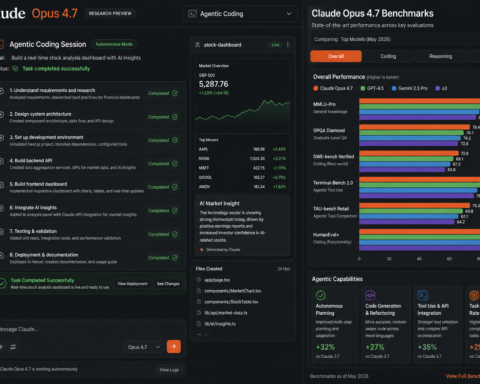
Copilot Cowork, announced March 9, 2026, uses Anthropic’s technology as its backbone. Microsoft built autonomous, multi-step task execution into the Microsoft 365 stack using the same model that’s powering Anthropic’s enterprise business and sitting at number one on LMArena. The partnership that felt like an interesting sidebar — Microsoft investing in Anthropic despite its OpenAI relationship — has produced a core product feature serving 345 million commercial Microsoft 365 users.
This is worth dwelling on before the feature review, because it changes the competitive dynamics significantly. Microsoft is no longer a pure OpenAI distribution channel. It’s now running a multi-model strategy where Claude handles autonomous task execution and OpenAI handles other Copilot functions. The “who builds on whom” question in enterprise AI has gotten more complicated.
With that context established, let’s talk about what Wave 3 actually does.
Copilot Cowork: What Autonomous Execution Actually Means
Before Wave 3, Microsoft Copilot was an assistant you had to ask specific questions of, one task at a time. Good at answering questions, summarising documents, drafting emails. Requiring constant direction.
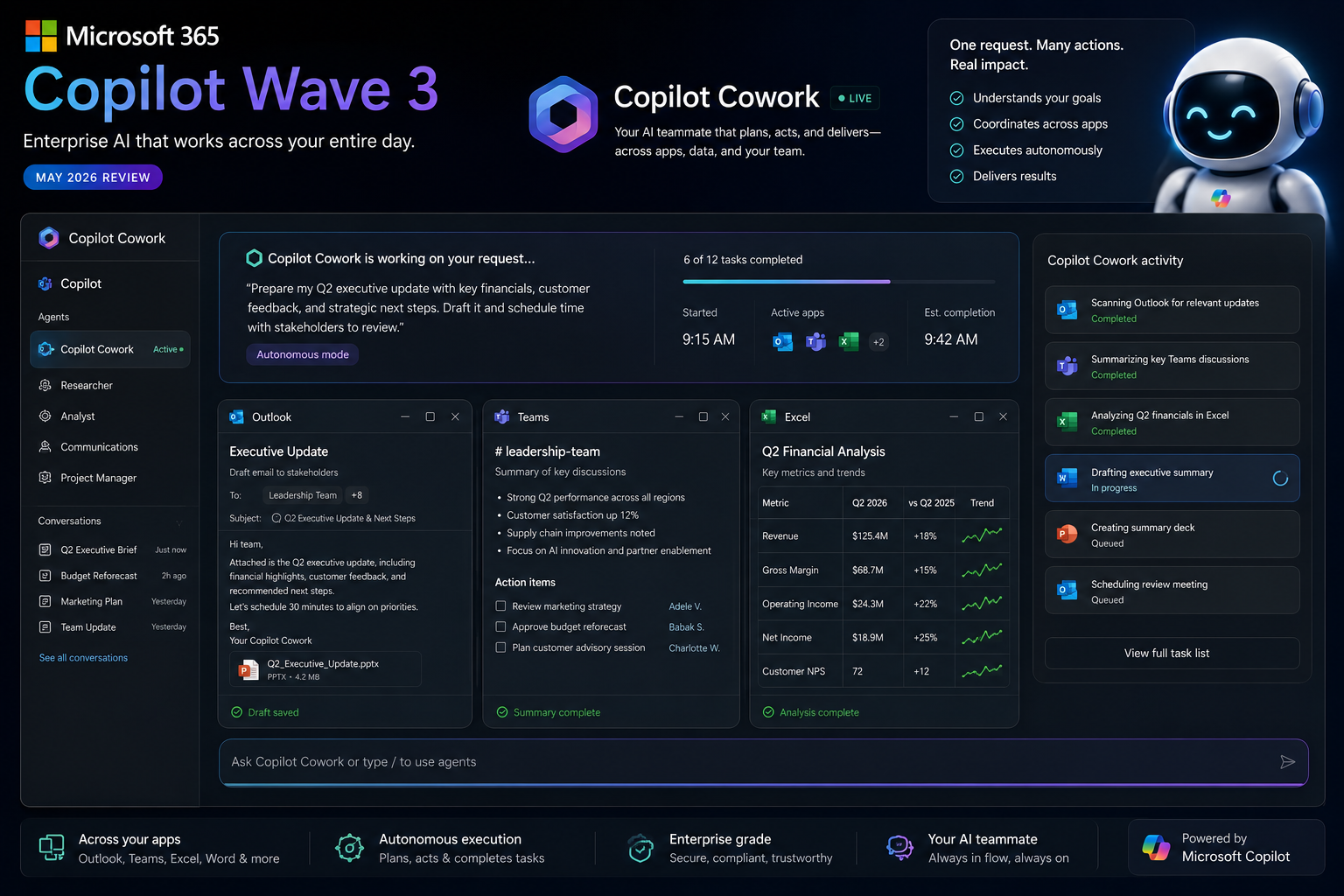
Copilot Cowork changes the interaction model fundamentally. You give it a multi-step objective — “monitor this shared inbox for escalations, summarise them, pull relevant customer history from CRM, and alert me via Teams when something needs my attention” — and it executes that workflow autonomously, across Outlook, CRM, and Teams, without you managing each step.
The word “autonomously” deserves precision. Cowork operates based on permissions you’ve granted and parameters you’ve set. It doesn’t have independent judgment about what’s important; it applies judgment rules you define. But within those rules, it acts — not just drafts. When it identifies an escalation, it doesn’t present you with a draft notification. It sends the notification, using its real credentials and approved permissions, in the background.
That autonomy is both the feature and the risk, which we’ll address in the governance section.
Four capability categories define Wave 3:
Copilot Cowork: The autonomous multi-step execution engine. Runs workflows across Outlook, Teams, Excel, Word, and PowerPoint simultaneously. Built on Claude technology. Generally available on macOS and Windows as of March 2026.
Excel, Word, and PowerPoint Agents: Purpose-built agents for each application, now generally available in chat. Excel Agents can execute Python computations directly within Excel — statistical analysis, regression, hypothesis testing — not just formula suggestions. Word and PowerPoint Agents draft, revise, and format based on natural language instruction.
Agent 365: Microsoft’s governance and security control plane for all agents deployed in a tenant. A single dashboard showing every AI agent operating in your environment — Copilot Studio agents, third-party marketplace agents, and Cowork workflows. Required for any serious enterprise deployment of Wave 3.
E7 Frontier Suite: The new $99/user/month license tier that bundles E5 (the enterprise Microsoft 365 package), Copilot, Agent 365, and Entra Suite. This is Microsoft’s all-in bet on enterprise AI. For organisations already paying for E5 plus separate Copilot licensing, E7 may be cheaper depending on their specific contract.
What Actually Works: The Honest Assessment
The Excel improvements are the strongest part of Wave 3 for most knowledge workers.
Python-powered analysis inside Excel — without leaving the spreadsheet, without needing to know Python — has been a frequently requested enterprise capability for years. Being able to run statistical analysis, correlation work, or hypothesis testing by describing what you want in natural language, directly in Excel, changes the analyst workflow meaningfully. This works reliably in testing.
The cross-workbook analysis for consolidated financial reporting — pulling data across multiple workbooks without manual consolidation — is similarly useful for finance teams. Real work that was genuinely tedious, now handled with a few natural language instructions.
Copilot Cowork, in tested workflows, performs well when the task is clearly defined and the data it’s working with is clean and accessible. The shared inbox monitoring example — watch for escalation signals, summarise, pull CRM history, alert via Teams — is well-suited to Cowork’s architecture. It’s a recurring, structured task with clear inputs and outputs.
SharePoint AI in public preview, powered by Claude, allows organisations to create agents that can search and reason across SharePoint content. For enterprises with years of institutional knowledge locked in SharePoint sites, this has the potential to be genuinely transformative — AI that can actually find and synthesise what’s in your internal knowledge base.
The multi-model orchestration approach is pragmatic. Wave 3 explicitly uses Claude, GPT, and Microsoft’s own models depending on the task. Using the best available model for each task type, rather than forcing everything through a single provider, produces better outcomes. This is the right architecture decision even if it complicates the vendor relationship story.
The Governance Problem: What No One Is Saying Loudly Enough
Copilot Cowork is powerful. It is also an agentic system operating with real credentials and real permissions across your Microsoft 365 environment. The governance implications deserve as much attention as the productivity benefits.
When Cowork executes a workflow, it acts — it sends emails, updates records, reads documents across your tenant — using permissions that were granted at setup and may not have been reviewed since. If your SharePoint permissions are poorly configured (and in most enterprise environments they are), Cowork may surface sensitive information in automated summaries sent to inappropriate recipients. Not because it’s misbehaving. Because it’s doing exactly what it’s permitted to do.
Microsoft’s own guidance is direct about this: organisations must complete SharePoint permissions remediation before deploying autonomous agents. Agent-specific data loss prevention policies are required. Access controls need to be defined specifically for agent identities, not just human users.
Agent 365 exists specifically to address this — to provide the visibility and governance that autonomous agents require. But Agent 365 is a new product that itself requires setup, evaluation, and organisational readiness. For organisations that haven’t already invested in clean SharePoint governance and have never thought about AI agent access controls, deploying Cowork without Agent 365 in place is genuinely risky.
The E7 Frontier Suite bundles Agent 365, which means organisations buying into the top tier have the governance tooling available. Whether they actually configure and use it is a different question.
The Pricing Reality: Is It Worth It?
Microsoft Copilot Wave 3 is not a single price. It’s a layered set of decisions that compound quickly.
Microsoft 365 Copilot (E5 + Copilot add-on): approximately $57/user/month for E5 at $36, plus Copilot at $30. This is the current base for most enterprise Copilot customers, and it includes the Wave 3 capabilities in Word, Excel, Teams, and Outlook.
E7 Frontier Suite: $99/user/month, bundling E5, Copilot, Agent 365, and Entra Suite. The math depends on what you’re already paying — organisations with standalone Entra licenses may find E7 is a net savings. Organisations without Entra may be buying functionality they don’t need.
Copilot Pro (individual): $20/month. This is the tier most individual knowledge workers encounter. It includes the Word, Excel, and Outlook integration. It does not include Copilot Cowork at the autonomous agent level.
The honest individual assessment: Copilot Pro at $20/month earns its cost if you spend serious time in Word, Excel, or Outlook. The formula writing in Excel, document drafting in Word, and email assistance in Outlook are consistently useful for knowledge workers. If you don’t live in the Microsoft ecosystem, ChatGPT Plus at the same price provides more overall value.
The honest enterprise assessment: Wave 3 is a serious platform update that requires serious implementation. Organisations that deploy Cowork without completing SharePoint governance, configuring Agent 365, and training employees on the new interaction model will get frustration rather than productivity gains. The organisations seeing genuine Wave 3 value are the ones treating it as infrastructure deployment, not feature activation.
Who Should Actually Pay Attention
Already on Microsoft 365 Enterprise: Wave 3 is included in your existing Copilot subscription for most features. The question is readiness, not additional cost. Audit your SharePoint permissions first.
Evaluating Copilot for the first time: The Excel Python integration and Word drafting capabilities are genuinely strong. Run a 90-day pilot with a specific team on a specific use case before committing to enterprise rollout.
Individual knowledge workers: Copilot Pro at $20/month is competitive with ChatGPT Plus at the same price — specifically for Microsoft 365 users. If you’re outside the ecosystem, it’s not the right tool.
Developers building on Microsoft’s stack: Agent 365 and the Copilot Studio integration deserve evaluation. The agent governance capabilities are architecturally interesting for teams building enterprise AI workflows.
The Wave 3 update marks a genuine inflection point for Microsoft Copilot — from a capable but predictable assistant to a platform that can autonomously execute complex workflows. The technology is real, the Claude partnership is producing tangible capability gains, and the governance requirements are equally real.
The organisations that will succeed with Wave 3 are the ones who treat the governance work as a prerequisite rather than an afterthought. The productivity gains are available. They come bundled with organisational readiness requirements that shouldn’t be underestimated.
Rating: 4.2/5 for enterprises with SharePoint governance already in place. 2.8/5 for enterprises that haven’t done that work yet and think they can skip it.