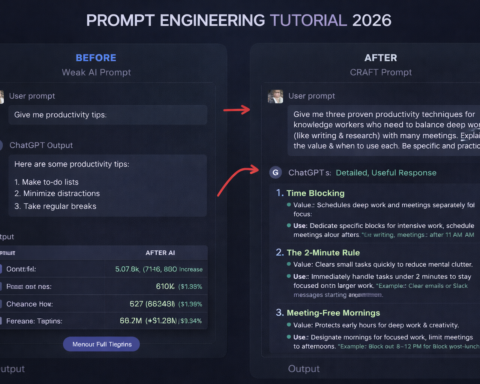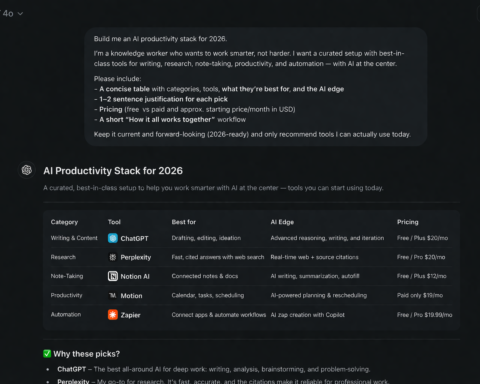
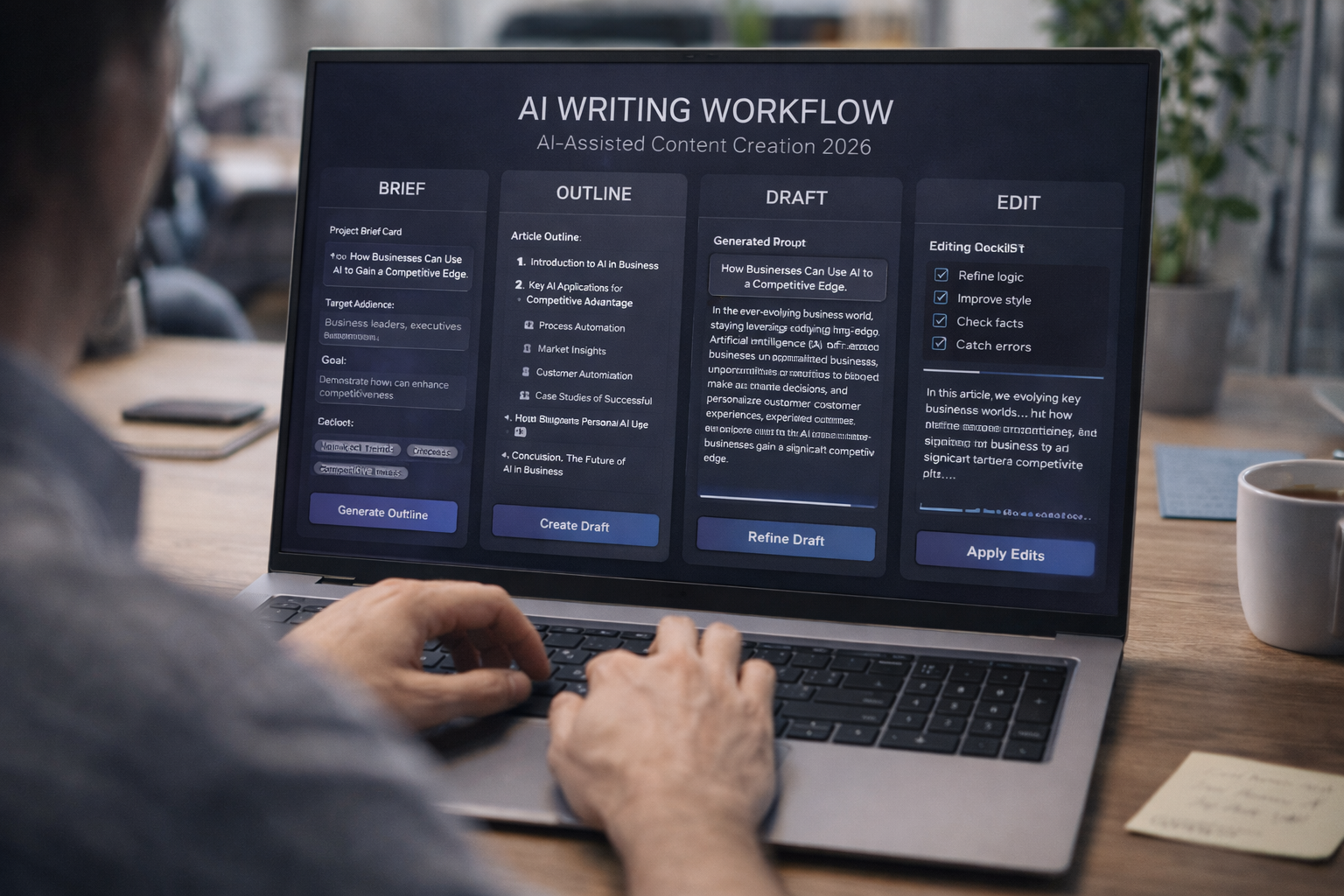
There’s a version of AI-assisted content writing that produces generic, forgettable articles nobody wants to read. And there’s a version that saves hours while producing your best work. The difference is entirely in the workflow. Here’s the version that works.
Let me tell you about the mistake almost every new AI writer makes.
They open ChatGPT, type “write a blog post about [topic],” get a 600-word article that says nothing anyone couldn’t find in sixty seconds on Google, copy it, and publish it. Then they wonder why their traffic doesn’t improve and their audience doesn’t grow.
The problem isn’t AI. The problem is that AI without direction produces the median of everything it’s ever seen. And the median is bland. The median is generic. The median is what’s killing most AI-assisted content right now.
The workflow in this guide is different. It treats AI as a writing partner, not a writing replacement. You bring the direction, the expertise, the angle, and the editorial judgment. AI brings speed, structural support, and the ability to generate good first drafts quickly. The combination produces content that’s faster to create and better than what either of you would produce alone.
Here’s the step-by-step process, in full detail.
Step 1: Do the Strategic Work Before You Open the AI
This step happens before you type a single thing into any AI tool, and it’s the step most people skip — which is exactly why their content fails.
Before any AI session, answer these four questions in writing (even just in a quick note):
Who is reading this? Not “marketers” or “professionals” — be specific. A VP of Marketing at a Series B SaaS company who has a team of five and is under pressure to show pipeline contribution from content. That level of specificity. The more specific your reader, the more specific your output.
What problem does this article solve? Not the broad topic — the specific, burning problem the reader has right now that this article addresses. “How to pick the right AI writing tools” solves a different problem for different readers than “why my AI content isn’t getting traffic even though I’m publishing consistently.”
What will the reader do or know differently after reading this? This is the success criterion. If you can’t articulate it, you don’t know what the article is actually for.
What angle or perspective makes this worth reading vs. the fifty other articles on this topic? If your angle is “here are the facts about [topic],” that’s not an angle — that’s a Wikipedia entry. Your angle should come from your experience, your data, your access to sources, or a contrarian view you can defend.
Write those four answers down. They are your brief. Every subsequent step in this workflow serves those four answers.
Step 2: Use AI to Build and Stress-Test Your Structure
Now open your AI tool. Your first prompt is not “write the article.” It’s “help me build and stress-test the structure.”
Prompt: “You are an experienced editor for [type of publication]. I’m writing an article for [specific audience] that addresses [specific problem]. My angle is [your angle]. Here are the key points I want to cover: [list 4-6 points]. Please: (1) suggest a logical structure for these points that builds the argument clearly, (2) identify any gaps in the structure — points I should add or remove to make the argument stronger, (3) suggest the most compelling opening hook angle.”
This prompt does something critical: it gets an outside perspective on your structure before you’ve invested time writing it. AI is good at seeing structural gaps. It can tell you when point 3 logically should come before point 1, when you’re missing a counterargument that will occur to every reader, or when your planned conclusion doesn’t follow from the body.
Take the AI’s structural feedback as input, not instruction. It will suggest things that don’t fit. You decide what to keep. The result is an outline that’s yours — but improved by a second perspective.
Step 3: Draft Section by Section, With Specific Briefing
Now you draft — but not by asking AI to “write the article.” You draft section by section, briefing each section specifically.
Why section by section? Because the AI’s quality degrades as output length increases without additional guidance. A well-briefed 300-word section will always be better than the AI’s attempt at 1,500 words without specific direction for each part.
Section brief template:
“Write [section name] of this article. Context: [what has been established before this section]. Action: This section should [specific goal — establish the problem, walk through step 2, anticipate and respond to the main objection, etc.]. Key points to include: [bullet list of 2-4 specifics]. Tone: [voice calibration]. Length: approximately [word count]. Do NOT: [list specific patterns to avoid — repetition from previous section, generic statements, bullet points, etc.].”
Paste the previous section’s final text as context so the AI maintains continuity.
This is slower than “write the whole article,” but the quality difference is significant. Each section is tightly briefed, contextually connected, and purposeful.
Step 4: Add What AI Cannot Generate — Your Actual Value
This is the step that separates useful content from forgettable content, and it’s entirely your job.
Read the full AI draft and identify every place where you need to add:
Specific examples from your actual experience. “I had a client who tried this approach and found…” is infinitely more valuable than “many professionals find that…” The former is credible. The latter is filler.
Your real opinions and disagreements. If you think the conventional wisdom on this topic is wrong, say so — and say why. That’s what makes content worth reading. AI gives you the consensus view; you provide the distinctive take.
Data, statistics, and cited sources. AI can suggest where data would strengthen a point; you verify and add real numbers from real sources. The combination of AI speed and your editorial rigour is what makes the content trustworthy.
The awkward, inconvenient truth. Every topic has nuance that AI smooths over because its training optimises for plausibility, not honesty. Add the caveats, the exceptions, the “this doesn’t work if…” that make your content genuinely useful rather than superficially reassuring.
A useful rule of thumb: if a reader can’t tell what company, expertise level, or perspective the article comes from, you haven’t added enough of yourself.
Step 5: Use AI for Editing, Not Just Writing
Most people use AI to write and then edit manually. Flip this for specific tasks and you’ll find AI is often better at editing than it is at writing from scratch.
Specific AI editing tasks that work well:
Tightening length: “Reduce this section by 20% by cutting the least essential sentences. Do not summarise or rephrase — only cut. Preserve all key points and examples.” This forces surgical cuts rather than the AI’s natural tendency to produce a paraphrase.
Improving the opening: “The opening hook of this article needs to be stronger. Here are three alternative opening paragraphs. Which one creates the most immediate tension for the target reader [describe reader], and why? Then write one more alternative that combines the strongest elements.”
Checking the argument: “Read this article draft and identify: (1) any logical gaps where the argument doesn’t follow, (2) claims that need evidence or examples to be credible, (3) any section that could be cut without weakening the overall piece.”
Improving readability: “Rewrite this paragraph for readability: shorter sentences, more active voice, cut any phrase that doesn’t add meaning. Keep the same information.”
Each of these is a specific, bounded editing task where AI performs consistently. The broad “make this better” instruction produces vague, unhelpful rewrites.
Step 6: The Human Final Pass — What Editors Are Actually For
After AI has helped you draft and edit, one final pass is entirely your work.
Read the article from the beginning with one question in mind: would I share this with my name on it? Not “is it factually correct” — would you actually share it? Is there a moment that’s genuinely surprising, useful, or honest enough that it’s worth someone’s attention?
Specifically look for:
The opening sentence. The most important sentence in the piece. Does it create immediate tension, curiosity, or recognition for the right reader? Rewrite it until it does.
The transitions. AI-drafted content often feels stitched together at section breaks. Read each transition and ask if the logic flows naturally — not just grammatically, but argumentatively.
Anything that sounds like AI. Phrases like “it’s worth noting that,” “in today’s world,” “in conclusion,” “this underscores the importance of.” Cut them all. They’re tells.
The ending. Most AI endings are weak — they summarise what was just said rather than leaving the reader with something to do or think. Write the ending yourself.
This pass takes 20-30 minutes on a 1,500-word piece and is the difference between content that performs and content that doesn’t.
The Complete Workflow at a Glance
Step 1: Define audience, problem, success criterion, angle. (Your work only — no AI)
Step 2: Use AI to build and stress-test structure. (AI as editor)
Step 3: Draft section by section with specific briefs. (AI as writer, you as director)
Step 4: Add your expertise, examples, data, and opinions. (Your work only)
Step 5: Use AI for specific editing tasks: tightening, checking argument, improving readability. (AI as copy editor)
Step 6: Final human pass — opening, transitions, AI tells, ending. (Your work only)
This workflow takes practice to internalise, but once it’s muscle memory, it consistently produces content that’s both faster and better than the alternatives. The AI handles the mechanical work. You handle the strategic and editorial work. That’s the combination that actually works.