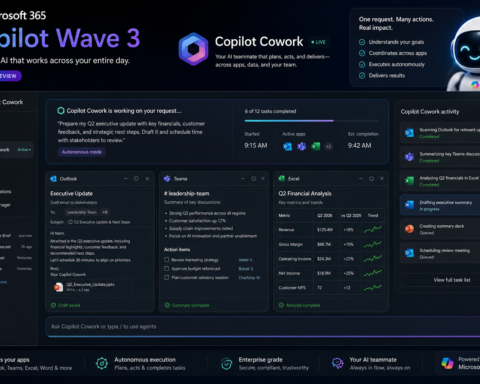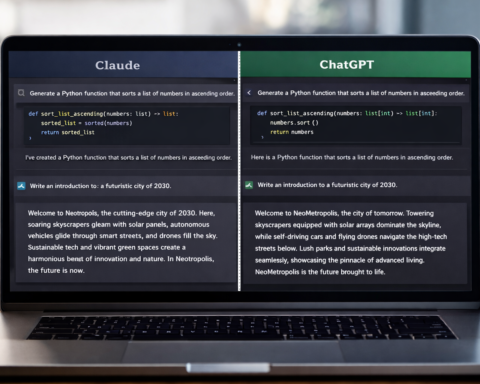

The AI coding tool landscape flipped in 2026. Claude Code went from zero to the most-loved developer tool in eight months. Cursor is still the power user favourite. GitHub Copilot is fighting for its place. Here’s the honest breakdown from daily use.
A year ago, the conversation among developers was “AI coding tools are overhyped.” Today, 95% of developers use AI tools at least weekly, and 75% use AI for more than half of their coding work. That reversal — from scepticism to infrastructure — happened fast, and the tool that accelerated it most dramatically is one that barely existed in 2024.
Claude Code launched in May 2025. By early 2026, it had a 46% “most loved” rating among developers in the LangChain State of Agent Engineering survey (covering 1,300+ practitioners), compared to Cursor at 19% and GitHub Copilot at 9%. That is a stunning reversal in under a year. But love ratings don’t tell the whole story. Usage data shows something different: GPT models are used by 81% of developers, GitHub Copilot remains the most-installed tool by a significant margin, and Cursor holds a dominant position among power users.
The full picture is nuanced: different tools for different workflows, different tasks, different team structures. Here’s what actually matters for your decision.
The Three Philosophies: Understanding the Tools Before the Features
Before comparing feature lists, it’s worth understanding that Claude Code, Cursor, and GitHub Copilot represent three fundamentally different answers to the same question: where should AI intelligence live in the development process?
Cursor’s philosophy: The IDE should be intelligent. Cursor is a fork of VS Code with AI integrated at every layer — autocomplete, inline editing, multi-file composition, and full agent mode. You’re not adding AI to your editor; you’re using an editor built around AI. The advantage is deep context and minimal friction. The constraint is that everyone on the team must use Cursor.
GitHub Copilot’s philosophy: AI as a plugin on whatever you already use. Copilot integrates across VS Code, JetBrains, Neovim, Xcode, and the CLI. It doesn’t ask you to change your editor; it adds intelligence to wherever you already work. The advantage is universal compatibility. The constraint is that you’re working with a bolt-on rather than a native experience.
Claude Code’s philosophy: Delegation over assistance. Claude Code is a terminal-native agent. You describe the outcome you want, and it plans and executes autonomously — reading files, writing code, running tests, iterating, and presenting a pull request. You’re not editing alongside an AI; you’re directing an AI to do the work. The advantage is genuine autonomy for complex tasks. The constraint is that it works differently from traditional coding and requires a mental model shift.
None of these philosophies is universally superior. Each implies a different relationship between developer and AI.
Pricing: The Complete Picture
GitHub Copilot:
- Free: 2,000 completions/month. Enough for casual use.
- Pro ($10/month): Unlimited completions, 300 premium requests, GPT-4o and Claude Sonnet 4.6 access, Copilot Chat, Coding Agent, CLI tools.
- Pro+ ($39/month): Premium model access including Opus-class models, higher agent request limits.
- Enterprise: Custom pricing with IP indemnification and compliance features.
Cursor:
- Hobby (free): One-week Pro trial, limited agent requests, limited Tab completions.
- Pro ($20/month): Extended agent limits, unlimited Tab completions, background agents, frontier model access including Claude Opus 4.6 and GPT-5.4.
- Pro+ ($60/month): 3x usage allowances.
- Business ($40/seat/month): Team features, privacy mode, admin controls.
Claude Code:
- Included with Claude Pro ($20/month): Full Claude Code access with Pro-tier token limits.
- Claude Max ($100-200/month): Higher usage limits for heavy Codex-style workloads.
- API pricing for intensive use: Claude Sonnet 4.6 at $3/$15 per million tokens, Opus 4.6 at $5/$25.
The practical value calculation: At $10/month, GitHub Copilot is the best value for autocomplete-focused workflows. At $20/month, Cursor offers the best overall IDE experience with more powerful models. Claude Code at $20/month (included with Claude Pro) provides the highest capability ceiling for complex, autonomous tasks. Most experienced developers spend $30-50/month on AI tools — combining tools rather than choosing one.
Claude Code: The Deepest Reasoning, The Steepest Learning Curve
Claude Code went from zero to the most-loved developer tool in eight months. Understanding why requires understanding what it’s actually doing differently.
When you give Claude Code a complex task — “refactor the authentication module to use JWT, update all the tests, and make sure the TypeScript types are consistent across the codebase” — it doesn’t just generate code for you to paste. It reads your entire codebase, understands the architecture, plans the approach, executes changes across multiple files, runs the tests, fixes failures, and presents a pull request. All while you do something else.
This is what “agentic coding” actually means at its best. The 200K token context window means it can hold an entire large codebase in working memory simultaneously. For multi-file refactors, architecture decisions, and deep debugging across complex systems, Claude Code produces the highest-quality output of any AI coding tool available.
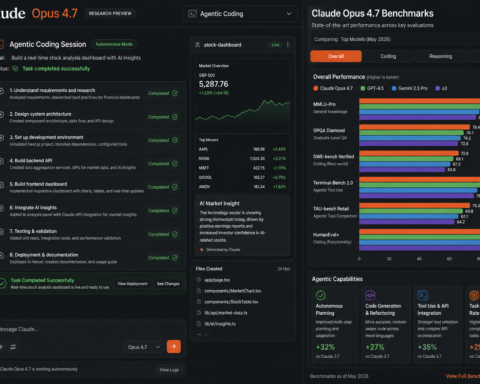
The benchmark data supports this: Claude Opus 4.6 scores 80.8% on SWE-bench Verified. The practical developer experience data is even clearer — 70% of developers surveyed prefer Claude for complex coding tasks.
The limitations to be honest about:
Claude Code is a terminal tool. It doesn’t integrate with your IDE in the same way Cursor or Copilot does. The interaction model — describe, execute, review — is different from the inline autocomplete experience most developers are used to. This is a real learning curve, particularly for developers who prefer staying in the editing flow.
It’s also more expensive than Copilot for heavy use. The $20/month Claude Pro plan covers most professional usage. Developers running intensive autonomous sessions may hit limits and need Claude Max.
Best for: Senior developers and engineering leads who need to handle complex, codebase-wide tasks. Developers doing large refactors, migrations, security audits, or architecture work. Teams building complex systems where deep reasoning matters more than fast autocomplete.
Cursor: The Best IDE Experience, Full Stop
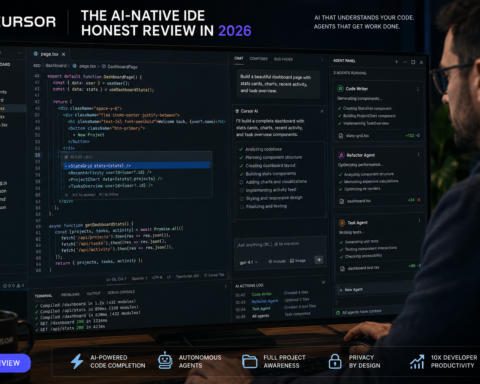
Cursor is a standalone AI-native IDE — a fork of VS Code where the AI isn’t an add-on but a structural part of the editing environment.
The Supermaven autocomplete engine, acquired by Anysphere (Cursor’s developer), achieves a 72% acceptance rate — meaning nearly three out of four suggestions are what the developer intended. That’s significantly higher than the industry average and reduces the cognitive overhead of reviewing AI suggestions constantly.
What makes Cursor genuinely different:
Tab autocomplete predicts not just the next line but multi-line completions with full context awareness. Composer is Cursor’s multi-file generation mode — you describe what you want built across multiple files and it executes. Agent mode handles complex, multi-step tasks autonomously within the IDE.
The .cursorrules system lets you define exactly how AI should write code for your specific project: framework preferences, naming conventions, architectural patterns, all enforced automatically. This customisation capability — absent in Copilot and configured differently in Claude Code — is significant for teams with established standards.
Model flexibility is also notable: Cursor Pro gives you access to GPT-5.4, Claude Opus 4.6, Gemini 3 Pro, and Grok Code, all on the $20/month plan. Cursor completes tasks 30% faster than Copilot on SWE-bench in timed tests.
The limitations:
The fundamental constraint is adoption. Cursor is a full IDE replacement. If your engineering team uses different editors — some on VS Code, some on JetBrains, some on Vim — asking everyone to switch to Cursor is a significant ask. Copilot installs in minutes across any editor. Cursor requires a commitment.
For teams of 40+ developers, the $40/seat/month Business plan costs $1,920/month. For teams comfortable standardising on Cursor, the productivity gains justify this. For teams with heterogeneous editor preferences, Copilot’s compatibility advantage becomes decisive.
Best for: Individual developers who want the best overall AI-native editing experience. Teams willing to standardise on a single IDE for the productivity benefits. Front-end and full-stack developers doing iterative feature development.
GitHub Copilot: The Universal Standard, Now Fighting for Its Position
GitHub Copilot launched in 2021 and pioneered the inline autocomplete experience that every other tool has since copied. It remains the most widely installed AI coding tool globally, with 1.8 million developers using it.
Its fundamental advantage in 2026 is compatibility: VS Code, JetBrains, Neovim, Xcode, CLI. No editor change required. For enterprise teams with heterogeneous development environments, Copilot is still the lowest-friction path to AI coding assistance.
The agent mode additions in 2025 are real improvements. Copilot Workspace connects to GitHub issues, branches, and repositories directly — for GitHub-centric workflows, this integration is genuinely valuable. Agentic code review shipped in March 2026. These are not trivial additions.
The honest assessment:
Copilot’s core autocomplete experience is no longer the best in class. Both Cursor and Claude Code offer richer context understanding and more capable code generation for complex tasks. Copilot at $10/month makes absolute sense for developers who want reliable, universal autocomplete at minimal cost. At $39/month for Pro+, the value calculation is harder — Cursor at $20/month provides more capability with frontier model access.
Where Copilot’s case is strongest: enterprise teams where IP indemnification matters (Microsoft provides this at the enterprise tier), teams deeply embedded in the GitHub ecosystem who benefit from the Copilot-to-GitHub-Actions-to-Copilot Workspace integration, and organisations where “minimal disruption to existing workflow” is a genuine requirement.
Best for: Enterprises with compliance requirements. Developers who don’t want to change their editor. Teams with a mix of editor preferences. Budget-conscious developers who want reliable autocomplete at $10/month.
The Hybrid Setup: What Professional Developers Actually Use
Here’s the pattern that has emerged from survey data and practitioner accounts — and it’s more useful than any single-tool recommendation.
The most common professional stack in 2026:
Cursor or Copilot for daily editing (depending on team preference and editor flexibility) + Claude Code for complex tasks.
In practice: use your IDE tool for the 80% of daily work that involves writing, editing, and reviewing code in the flow of normal development. Switch to Claude Code when you hit a problem that requires deep codebase understanding — large refactors, architecture changes, security audits, debugging subtle cross-file issues.
At $20/month each, Cursor Pro + Claude Pro = $40/month total. For professional developers, this is well within the range of tools budgets, and the productivity differential more than covers it.
The simplest starting point: If you currently use nothing — start with GitHub Copilot at $10/month in your existing editor. Zero friction, immediate autocomplete benefit, and you’ll quickly identify whether you need more capability (which points toward adding Cursor or Claude Code).
Privacy and Security: What Matters Before You Deploy
Any AI coding tool means sharing code with a third party. Know the policies before you deploy on sensitive codebases.
Cursor Business plan: Privacy mode that does not store code. Available at $40/seat/month.
GitHub Copilot Enterprise: IP indemnification. Code is not used to train models. Clear enterprise data policies backed by Microsoft.
Claude Code API usage: Does not train on your code. Privacy policies are clear.
For maximum privacy and on-premises requirements, self-hosted solutions with local models are the only option that keeps code entirely on your machine. Tools like OpenCode (open source, provider-agnostic) provide Claude Code-style agentic capabilities with bring-your-own-API-key pricing.