Notion is the most powerful personal productivity tool ever built. It’s also, for many individual users, the most effective form of productive procrastination ever invented. Here’s the honest review that tells you which one applies to you.
There’s a specific kind of Sunday afternoon that Notion users know well. You sit down to “organise your productivity system.” Three hours later, you have redesigned your task database, added six new properties, created a linked dashboard, watched two YouTube tutorials on advanced formulas, and accomplished zero actual work.
That experience — let’s call it Notion Paralysis — is real, documented by thousands of users who’ve abandoned elaborate Notion systems they built but never maintained. It’s also one of the most important things to understand before deciding whether Notion AI is worth paying for in 2026.
Because here’s the thing: the AI features are genuinely good. They save real time, and the 90 days of daily use that informs this review produced specific, measurable benefits. But those benefits are only available to people who have already built a Notion system worth using. And building that system takes more time than almost any productivity influencer will tell you.
This review is honest about both sides.
What Notion Actually Is in 2026
Notion has grown from a minimalist note-taking app into what its developers call a “flexible operating system for personal productivity and business collaboration.” That’s not marketing fluff — it’s an accurate description of what the product does.
The core architecture is blocks. Everything in Notion — text, images, tables, databases, embeds, code, kanban boards — is a block you can drag, nest, and arrange. This gives you the flexibility to build almost any workflow you can imagine. The same product is used by solo freelancers managing their client projects and by enterprise companies running their entire knowledge infrastructure.
As of the September 2025 launch of Notion 3.0, the platform introduced autonomous AI Agents that can execute multi-step workflows — not just suggest but actually do. The platform supports multi-model AI access (GPT-5, Claude Opus 4.1, o3) with the ability to toggle between models based on task requirements.
Over 100 million users work in Notion daily. Fortune 500 companies including Nike use it for enterprise knowledge management. And new users still abandon their setups at a rate that should be part of every honest review.
Pricing: What You Actually Need to Know
Free plan: Core Notion features including unlimited blocks for individual use. Up to 10 guests. AI is a trial only — you get a limited number of AI responses before hitting the limit. For individuals who want to test the system before paying, this is the right starting point.
Plus ($12/month or $10/month annually): Unlimited file uploads, better collaboration features. This was previously the tier where you could add AI as a separate $8/month add-on. In the 2025 restructure, full AI is now bundled into Business tier.
Business ($15/user/month or $20/user/month): Full AI access including multi-model capabilities (GPT-5, Claude Opus 4.1, o3), AI Agents, Ask Notion workspace search, unlimited automation. This is the tier where AI becomes genuinely powerful.
Enterprise: Custom pricing, advanced security, dedicated support, SAML/SSO.
The critical pricing note: Notion discontinued the separate AI add-on. Full AI access requires the Business plan at $15/user/month. For individuals, this means Notion’s AI capabilities cost $15/month minimum — not the $8/month add-on many guides still reference. The price comparison changes depending on your math.
The consolidated value argument: Notion Business at $20/user/month includes full AI access with multi-model capabilities. Compare this to managing separate ChatGPT Plus ($20/month) + a note-taking tool + a project management tool separately. For teams already using multiple productivity tools, Notion can consolidate significant monthly spend.
The AI Features: What Actually Works
After 90 days of using Notion AI as a genuine daily work tool across several active projects, these are the features that delivered measurable time savings.
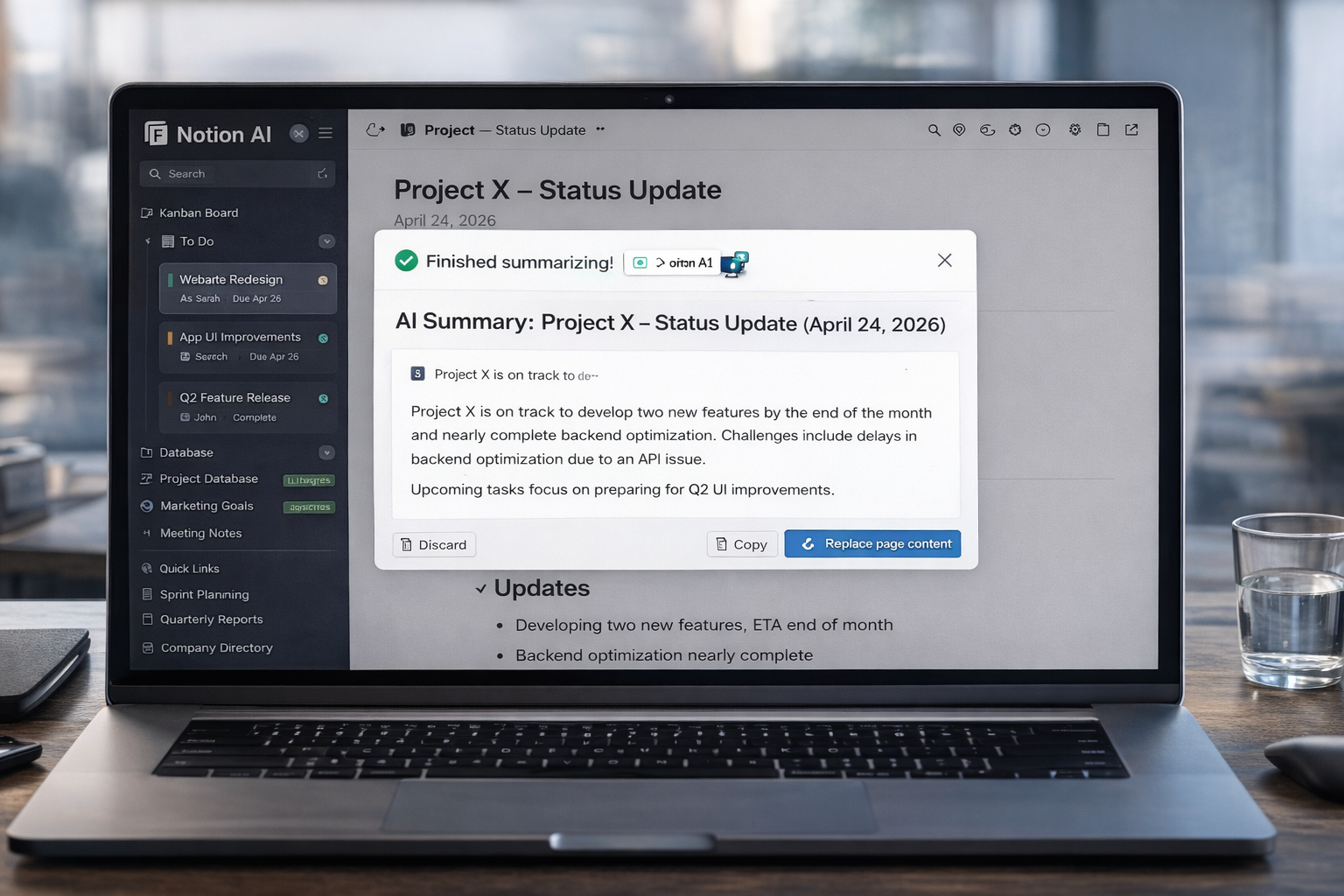
Document summarisation — genuinely impressive. I uploaded a 40-page research report, asked for “key takeaways,” and got a usable summary in 15 seconds. The quality was high enough that I could have shared it directly. For knowledge workers who process large amounts of documentation, this single feature saves meaningful time daily.
Ask Notion — the contextual search that makes AI useful. Ask Notion queries your entire workspace and returns answers with links to source pages. “What were the key points from last week’s client meeting?” pulls the actual meeting notes. “What did we decide about the pricing strategy?” surfaces the relevant database entry. This is qualitatively different from a general-purpose chatbot — it knows your specific context. The limitation: it only knows what’s in Notion. If your notes live somewhere else, you get nothing.
Content drafting within the workflow. Asking Notion AI to generate a first draft of a project proposal, a weekly update, or a client summary — without leaving the document — genuinely saves the context-switching tax of opening a separate AI tool. The output quality is solid but not exceptional. Think of it as a capable first draft that needs editing, not a finished product.
Meeting notes → action items. Paste meeting notes into a Notion page, ask AI to extract action items, and get a structured list in seconds. I used this daily across 12 active projects in the test period. The accuracy was high enough to trust on routine matters; I reviewed carefully for anything consequential.
Database autofill. For structured data work — filling properties in a content calendar, tagging items by category, generating summaries for database entries — Notion AI handles this well. This is the kind of repetitive data work that used to take meaningful time.
The AI Features: Where It Falls Short
It only knows what’s in your Notion workspace. This is the fundamental constraint that the product marketing undersells. If your emails are in Gmail, your documents are in Google Drive, and your conversations are in Slack — Notion AI knows none of that unless you’ve brought it into Notion. The integrations with Google Drive and Slack exist, but they’re not seamless, and they require setup.
The free and Plus plans are essentially AI-less now. The trial of AI features on the free plan runs out quickly. If you’re evaluating Notion AI, you need to be on Business to experience it fully. Many reviews are still based on the old separate add-on model.
The setup dependency is real. Notion AI’s value is proportional to the quality of your Notion system. A badly organised Notion workspace with inconsistent naming, missing properties, and sparse documentation produces bad AI outputs. “Garbage in, garbage out” applies here more than in general-purpose AI tools. If you haven’t maintained your workspace consistently, Ask Notion will return inconsistent results.
No true offline mode. This limitation has persisted since 2023 and remains unfixed. If you work without reliable internet, Notion is not your tool.
Performance issues with large databases. Users with extensive Notion workspaces (hundreds of pages, complex databases with many relations) consistently report slower performance. This is a technical limitation that affects heavy users most.
The Setup Problem: The Hidden Cost Nobody Talks About
Here’s what most Notion reviews leave out: the system has to exist before the AI can help you with it.
A realistic estimate for building a functional personal productivity system in Notion — one with linked databases, proper views, working templates, and consistent organisation — is 5-8 hours. For a team system, add more. That’s before you start using it. And maintaining it — keeping the structure consistent as your work evolves — is an ongoing time commitment.
The pattern that repeats across Notion user accounts: enthusiastic setup, productive honeymoon period (2-6 weeks), gradual decline in maintenance discipline, eventual abandonment or radical simplification. The system that was going to organise your entire life becomes one more tab you feel guilty about not updating.
This doesn’t mean Notion is bad. It means Notion requires a specific kind of user — someone who genuinely enjoys building and maintaining systems, who finds the architecture phase rewarding rather than draining. If that description doesn’t fit you, simpler tools (Todoist for tasks, Apple Notes for notes) will deliver more value for less effort.
Who Should Actually Pay for Notion AI
Teams, full stop. Notion’s undisputed strength is shared documentation. If your team needs a wiki, process library, shared meeting notes, and project documentation in one place, Notion is an excellent choice. The AI layer — meeting summaries, document drafting, Ask Notion for institutional knowledge retrieval — adds real value on top of a system your team is already maintaining.
Individual users who already have a working Notion setup. If you’ve been using Notion for more than six months and have a system that’s actually functioning — not theoretically functioning, actually functioning — adding the Business plan for AI access is likely worth the money. The summarisation and Ask Notion features will save hours monthly.
Individual users who are starting from scratch. Probably not yet. Start with the free plan. Build the system. See if you actually maintain it after the honeymoon period. Add Business tier AI when you know the system is working for you.
Users who just want a simple AI assistant. Skip Notion AI entirely. Claude or ChatGPT at $20/month will do more, require no setup, and produce better output for general AI tasks. Notion AI’s value is specifically in its workspace integration — if you don’t need that integration, you’re paying for something you don’t need.